ask ri is a natural language interface for querying platform data. Type a question about plants, owners, states, ISOs, technologies, or interconnection projects and receive a structured response with KPIs, narratives, tables, charts, and deep links back into the platform.
How it works
Type a free-form question in the input box. The system classifies your query, resolves entities against the platform database, assembles relevant data across dimensions (plants, generation, ownership, news, queue projects), and generates a structured response. No filters or configuration required — ask ri interprets your intent automatically.
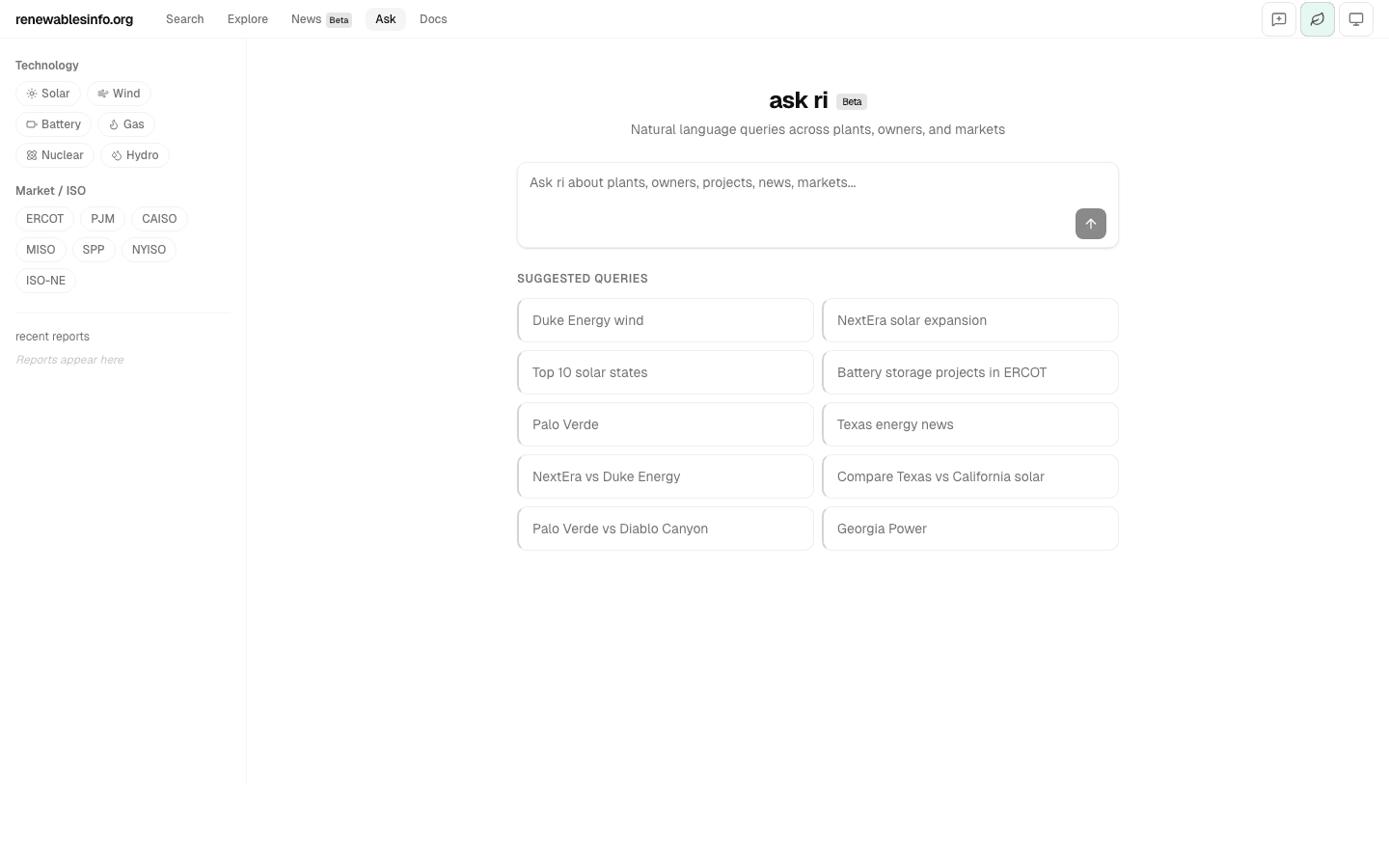
The sidebar provides optional technology and market (ISO) filters to narrow the scope of your query. Suggested queries update dynamically as you type or select filters.
Response tiers
The system auto-selects a response depth based on your query. There are four tiers, each suited to a different type of question.
Entity Briefing (Tier 0)
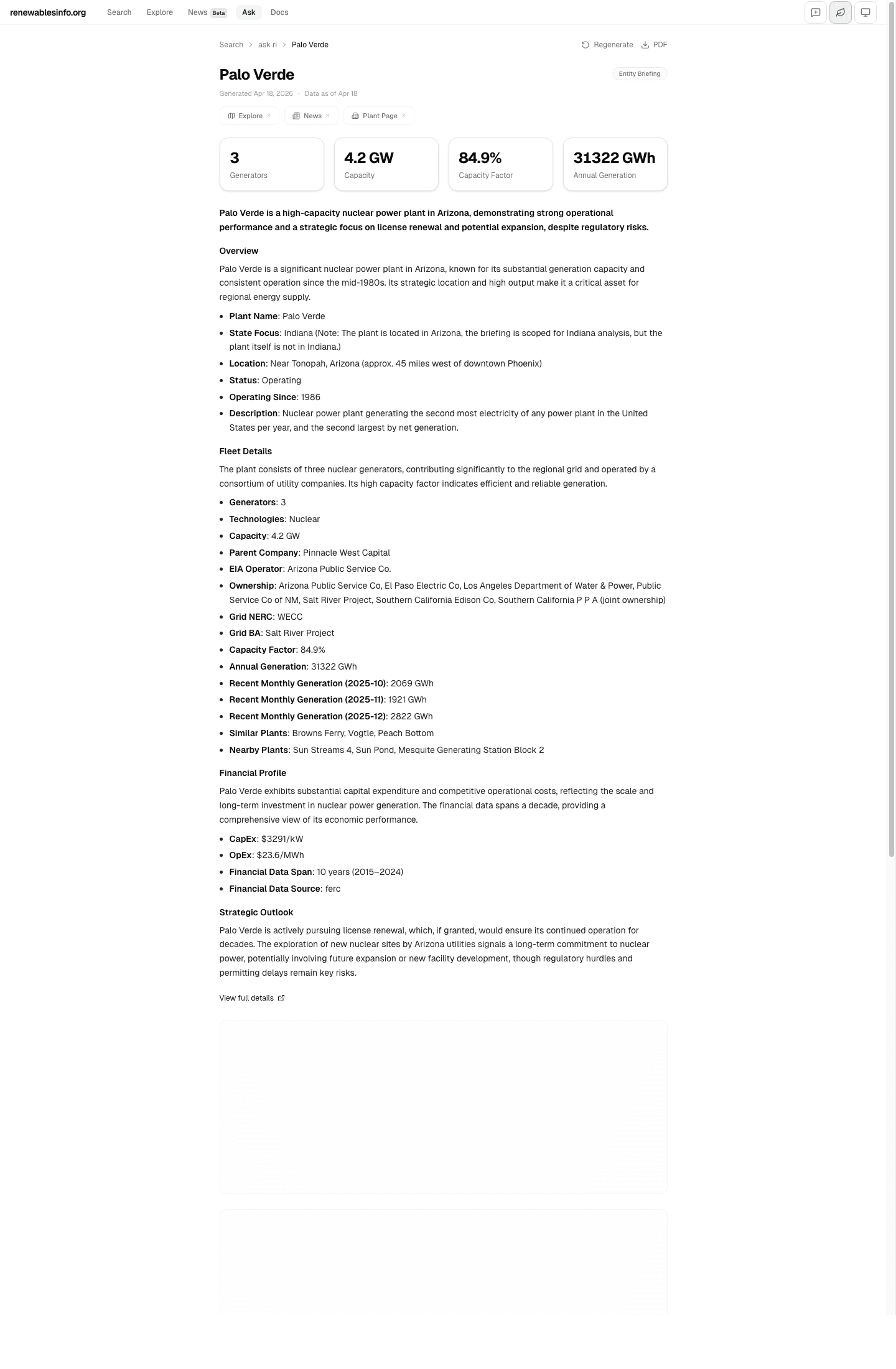
Ask about a specific plant, owner, or project by name. Returns a rich briefing with KPIs, executive summary, fleet details, financial profile, strategic outlook, and follow-up suggestions.
Example: "Palo Verde", "NextEra Energy", "Quinbrook Infrastructure Partners"
Data Lookup (Tier 1)
Rankings, lists, and filtered queries. Returns structured tables with sortable data and deep links to plant or project pages.
Example: "Top 10 solar states", "Battery storage projects in ERCOT"
Comparative Analysis (Tier 2)
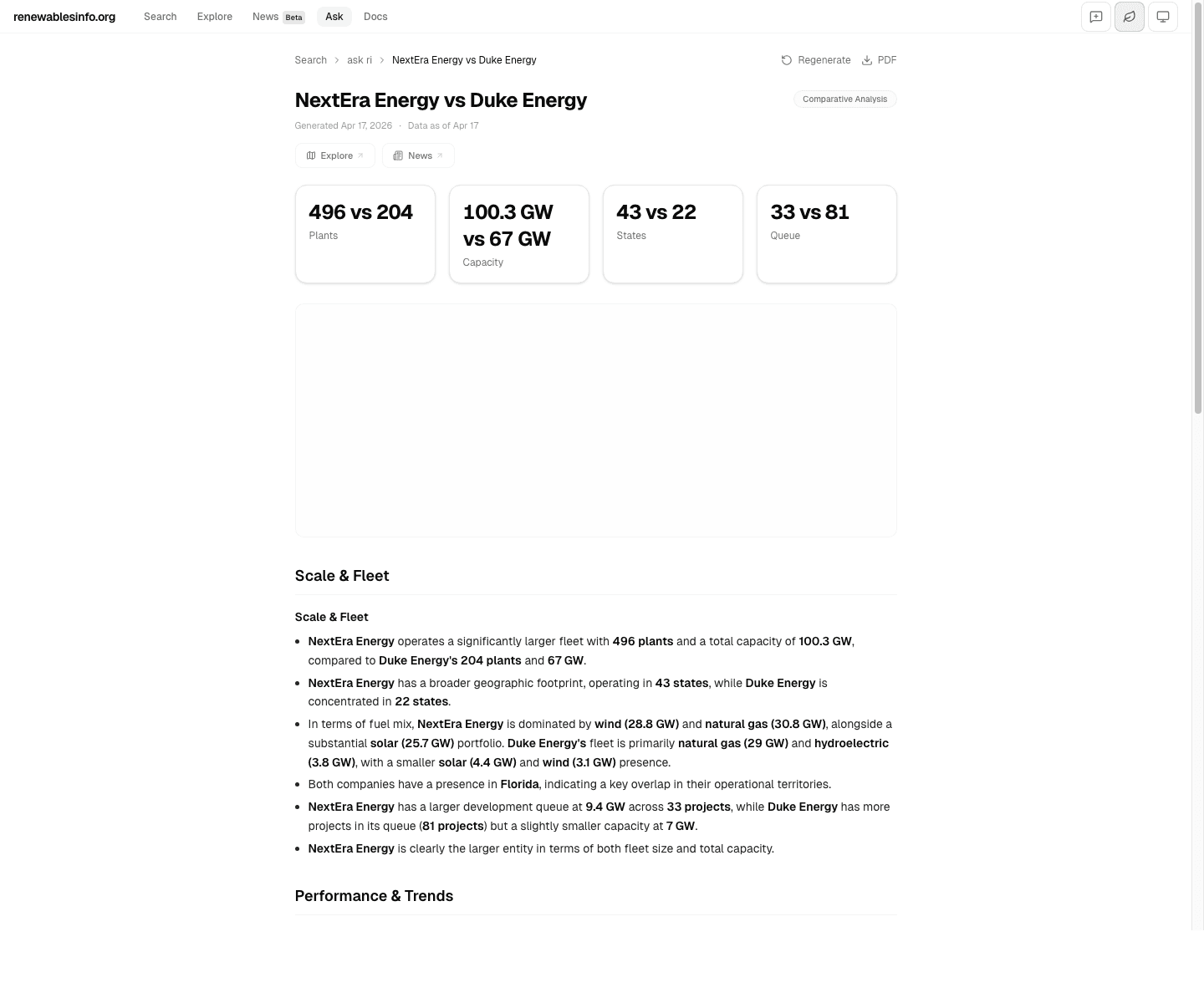
Side-by-side comparisons of two entities, states, or ISOs. Returns head-to-head KPIs, fleet breakdowns, and narrative analysis across scale, performance, and pipeline dimensions.
Example: "NextEra vs Duke Energy", "Compare Texas vs California solar"
Detailed Analysis (Tier 3)
Open-ended analytical questions about trends, markets, or technologies. Returns multi-section reports with KPIs, narrative sections, and follow-up queries.
Example: "ERCOT renewable growth trends", "Nuclear fleet outlook in PJM"
Response blocks
Responses are assembled from typed content blocks. The blocks that appear depend on the query type and available data.
KPI cards
Headline metrics at the top of every response: plant count, capacity, generation, capacity factor, states, queue projects. Comparison queries show side-by-side values.
Narrative sections
LLM-generated analysis organized by theme: overview, fleet details, financial profile, strategic outlook. Entity names and metrics are bolded for scanning.
Tables
Sortable data tables for rankings and lookups. Rows link directly to plant or project detail pages on the platform.
Charts & maps
Bar, line, area, and donut charts for trends and breakdowns. Interactive maps showing plant or project locations with fuel-type coloring.
Follow-up suggestions
Contextual follow-up queries at the bottom of each response, allowing deeper exploration without starting over.
Entity briefing example
Asking "Palo Verde" produces a Tier 0 entity briefing with KPIs (generators, capacity, capacity factor, annual generation), an executive summary, fleet details, financial profile, strategic outlook, and related queries.
Comparison example
Asking "NextEra vs Duke Energy" produces a Tier 2 comparative analysis with head-to-head KPIs, fleet scale and mix analysis, performance trends, and pipeline comparison.
Sharing and persistence
Responses are saved automatically and assigned a permanent URL at /ask/r/{slug}. Each saved report has its own Open Graph card for social sharing, a PDF export button, and breadcrumb navigation back to the ask landing page. Recent reports appear in the sidebar for quick access.
Data scope
ask ri queries the same data that powers the rest of the platform: 15,528 plants, 9,783 queue projects, ownership chains, generation histories, financial metrics, news articles, and interconnection details. Responses include a data freshness timestamp and link directly to source pages for verification.