Energy assets are often owned through layers of shell companies, making it difficult to identify who benefits from public subsidies, regulatory decisions, or environmental impacts. The platform resolves corporate ownership chains and classifies news by category, making it a research tool for accountability journalism.
Unmask the real owner behind an SPV
“A new solar farm just got permitted under the name 'SunValley Solar LLC'. Who is actually behind it?”
Search for the plant
On the home page, search by plant name or switch to Owner mode to search by company name. The fuzzy search handles partial names and common variations.
Read the ownership comparison
The Ownership section shows EIA's registered name alongside GEM's resolved parent and Wikidata's corporate chain. When these disagree, a yellow badge highlights the discrepancy. The EIA name is the legal entity; the GEM name is who actually controls the asset.
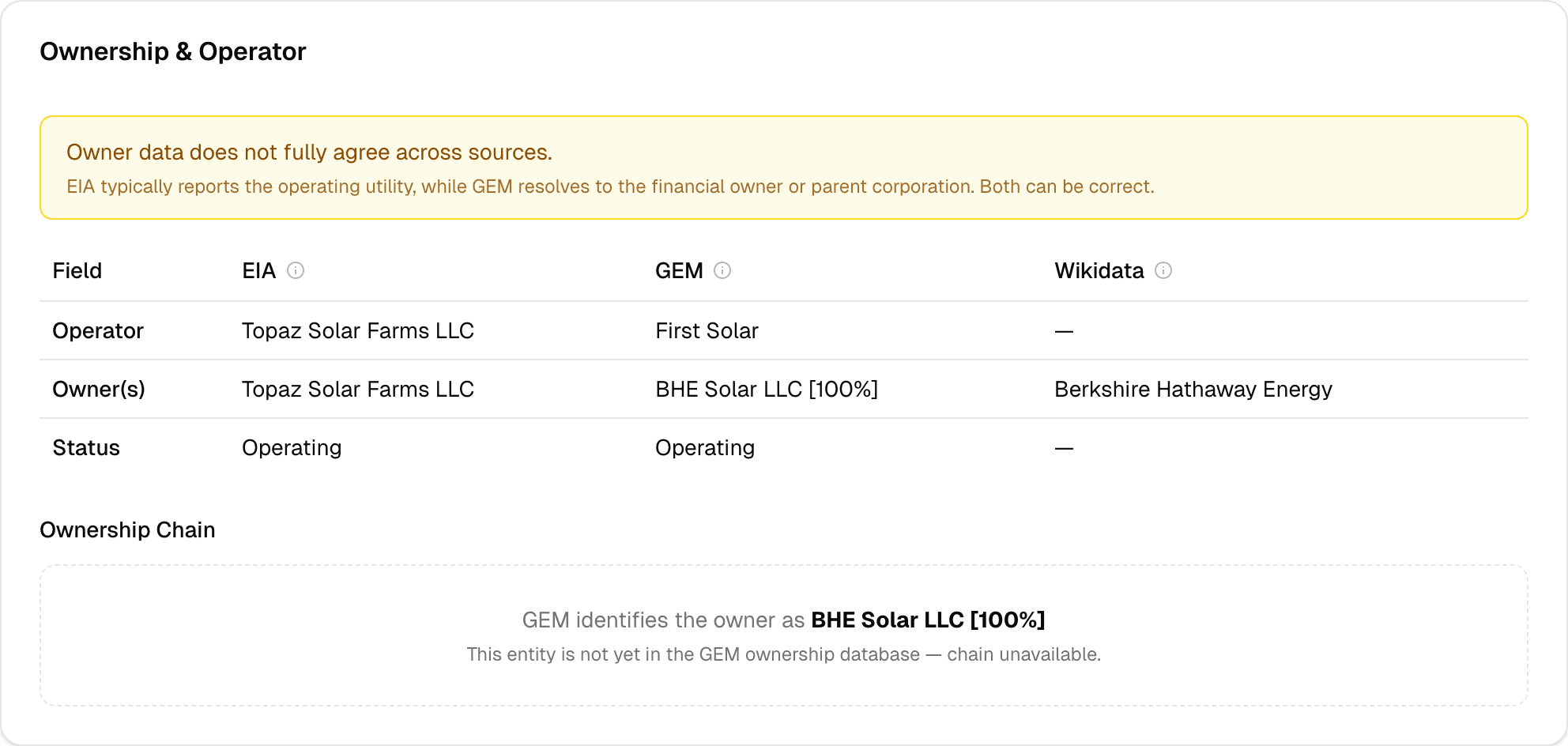
Trace the ownership chain
The ownership chain diagram below the comparison table shows the directed path: plant entity, operating subsidiary, holding company, ultimate parent, institutional shareholders. For publicly traded owners, you'll see major shareholders with percentage stakes.
Check for patterns
On the Explore page, use the Owner filter to find all plants owned by the same parent. If one SPV is a shell, the parent likely operates dozens of similar entities across states.
Key insight
EIA filings list the registered operator — often a special purpose vehicle (SPV) created for that single project. GEM resolves the parent company, and Wikidata traces the corporate chain to the ultimate beneficial owner. 2,320 plants in the database have ownership source disagreements — these are the assets where the registered name masks the real investor.
Open the news page with deal filters
Navigate to the /news page. Set Category = Deals and Date Range = 90 days. The feed shows all deal-related articles across all plants.
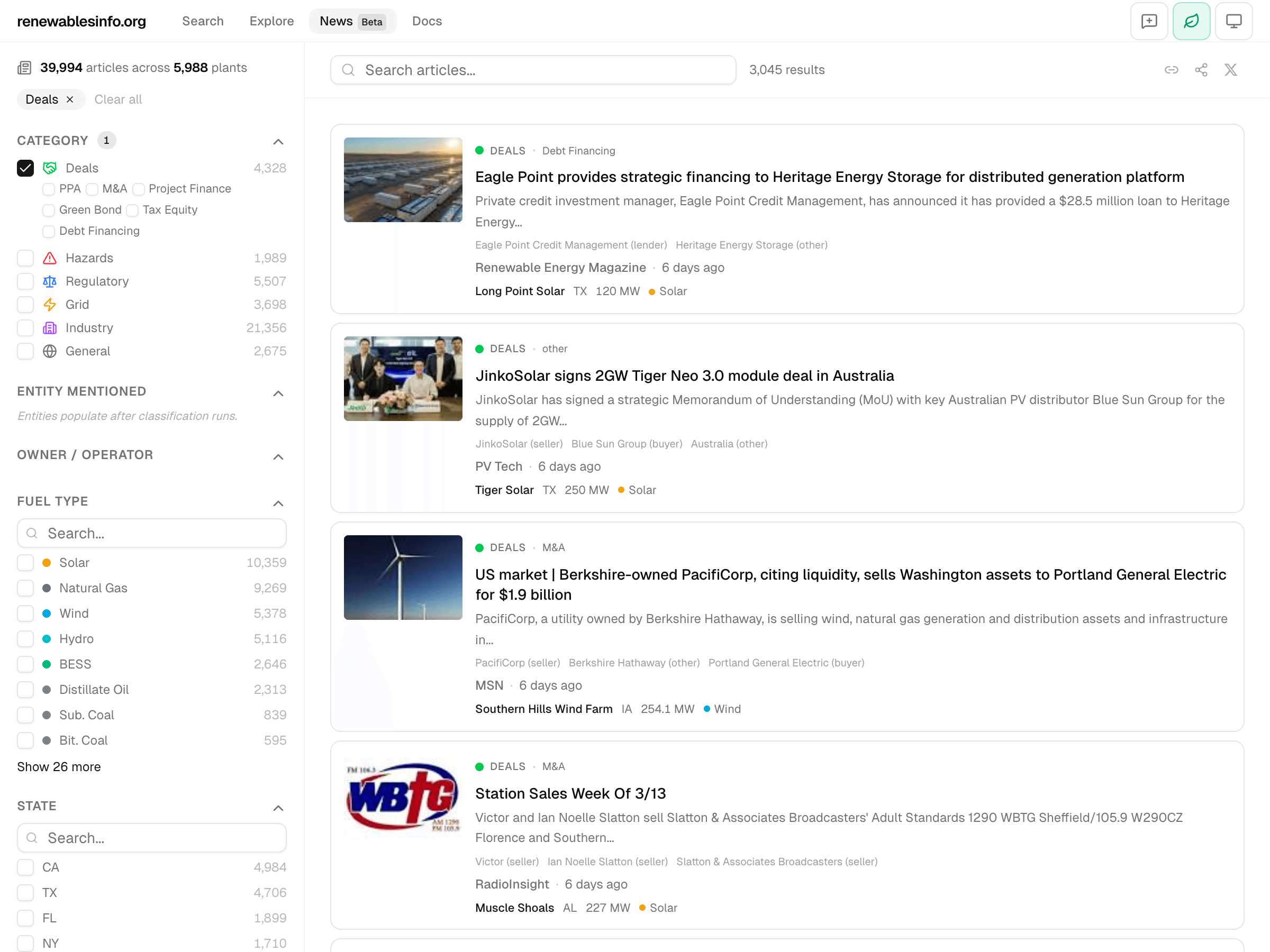
Narrow by subcategory
Under Deals, select M&A to focus on acquisitions and mergers. Or select PPA to track new power purchase agreements.
Search by entity
Use the entity filter to find articles mentioning a specific company. The entity extraction identifies company names and roles (buyer, seller, developer) from article headlines and snippets.
Follow the plant link
Each article card shows the associated plant. Click through to the plant detail page for the full asset picture: ownership chain, financial data, generation history, and more deal-related news.
Key insight
The news pipeline automatically classifies articles into categories including 'deals' with subcategories for M&A, PPAs, project finance, and more. Entity extraction identifies the companies involved and their roles (buyer, seller, developer). This turns a manual news monitoring task into a filterable, searchable feed.
Investigate hazard exposure for a region
“After the Texas winter storm, which power plants were reported as affected?”
Filter news by hazard and state
On the /news page, set Category = Hazards and State = TX. The feed shows hazard-related articles for Texas power plants.
Check subcategories
The Hazards category includes subcategories: wildfire, hurricane, tornado, hail, flooding, extreme heat, extreme cold, ice storm. Select the relevant subcategory to narrow results.
Cross-reference with generation data
Click through to an affected plant's detail page. The Generation section shows monthly MWh — look for drops during and after the event period. Storage plants show bidirectional charts (charge/discharge) that may reveal operational disruptions.
Key insight
News articles about physical hazards (wildfire, hurricane, extreme cold, flooding) are automatically tagged. Filtering by Hazards category and state surfaces incident reports for specific regions. Cross-reference with the generation section to see if capacity factors dropped after the event.
What's coming
Planned
RSS feed for news categories — subscribe to “Deals” or “Hazards” in your news reader. Improved entity deduplication so “NextEra”, “NextEra Energy”, and “NextEra Energy Inc.” resolve to the same entity.
Exploring
Entity relationship graph visualization showing connections between companies, plants, and deal activity over time. Automated ownership change detection that flags when a plant's GEM parent differs from the previous month's snapshot.